
Computers for Community Learning

Details
Northern Alberta
The Idea
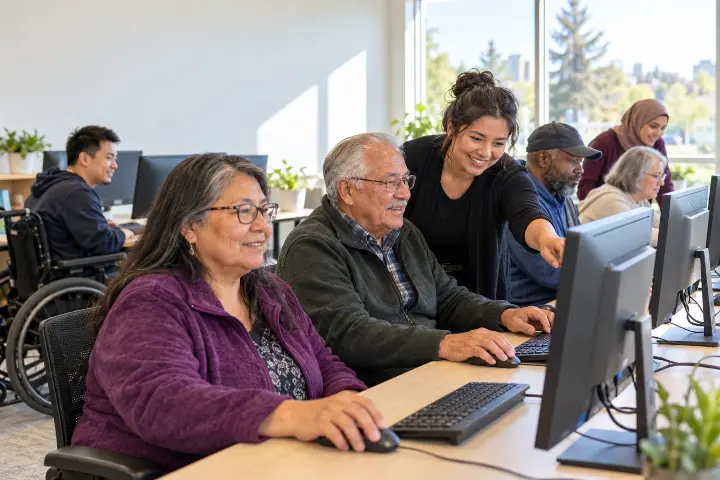
Cosmos will purchase and install 10 new computers in its Computer Learning Centre to improve free digital skills workshops for community members. We will then prepare the existing computers for donation to participants who do not have a computer at home, provided each computer is still suitable for use.
1. Purchase and install the computers
Cosmos will purchase 10 computers suited to the centre’s workshops and purchase the equipment within the grant budget. We will install the computers, confirm that they work with the programs used in our workshops, and make sure the workstations are ready for learners. Existing program staff will incorporate the new computers into regularly scheduled Lifelong Learning workshops.
2. Put the new equipment to use
Participants will use the computers to practice skills such as using email, finding reliable information, completing online forms and using common computer programs. The newer equipment will help learners practice on technology that better reflects what they may encounter outside the classroom. Because the centre is free and open to anyone in the community, the computers will benefit learners beyond the initial project period.
3. Prepare the existing computers for donation
Once the replacement computers are working, Cosmos will assess the 10 older computers to determine which are suitable for home use. Before any computer is donated, its data will be securely erased, and the device will be checked to ensure it starts and functions properly. Cosmos will offer usable computers to program participants who do not have access to one at home, using a clear and fair selection process if there are more interested participants than available devices.
4. Measure the results
Cosmos will record the number of computers installed, the number of workshop participants who use them, and the number of older computers successfully donated. We will also ask learners whether access to a computer at home helps them practice skills between workshops. These measures will show both the immediate benefit to participants and the longer-term value of the equipment to the community.
The grant request will cover this defined, one-time equipment project. Cosmos’s existing Lifelong Learning programming will provide the workshops in which the new computers are used.
Who Will Benefit?
Anyone in the community who wants to continue learning can benefit from this project. Cosmos’s Computer Learning Centre offers free workshops where adults can build digital skills at their own pace, whether they are using a computer for the first time or want more confidence with everyday tasks.
The new computers will support workshops on skills such as using email, searching for information, completing online forms and creating documents. They will also be useful in our life skills workshops. For example, participants could practice making a simple budget, comparing grocery prices, looking up recipes and nutrition information, or preparing a résumé as part of employment readiness. Using a computer during these workshops gives people a chance to apply what they learn to situations they may encounter at home or in the community.
The benefit can continue after a workshop ends. Once the new computers are installed, Cosmos will assess and securely erase the 10 existing computers. Those suitable for continued use can be given to participants who do not have a computer at home, allowing them to practice, explore their interests and use their new skills more independently.
Because the workshops are free and open to the community, the new computers will benefit both current participants and people who come to the centre in the future.